Lead Flow Insights
Lead Flow Insights helps you track local demand in real time, giving you a clear view of which requests deserve attention
- Track local requests
- Spot trends instantly
- Improve lead follow-up
Lead signals
Find local customers already asking for help, review the best opportunities, and approve every reply yourself
Get started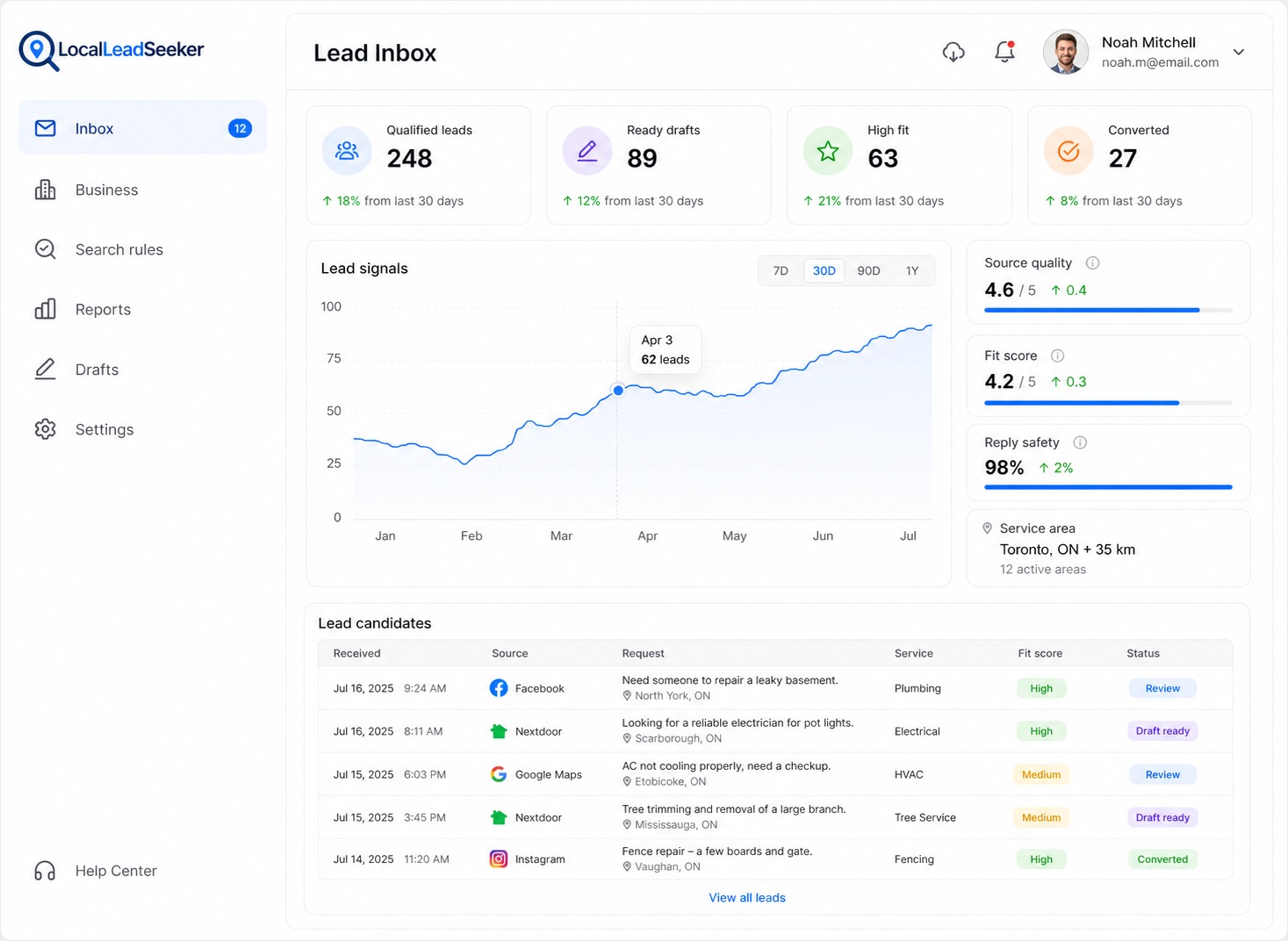
Public lead surfaces
More Features
Lead Flow Insights helps you track local demand in real time, giving you a clear view of which requests deserve attention
Stay ahead of demand with real-time fit scoring. Monitor service match, urgency, and source quality as new requests appear
Review AI-drafted replies with built-in guardrails so outreach stays careful every time.
Extra Features
See how many qualified local requests are moving toward a reply
See which services, areas, and sources are producing the clearest intent
Send owner-approved lead updates to a CRM, sheet, alert, or webhook after review
Product safeguards
A calmer way to review local demand, understand fit, and keep the final reply in human hands
Candidates enter a review queue with the source link, match evidence, and risk notes needed for an owner decision.
 Evidence before actionSource context stays visible
 0Profile, search, reply
Service, location, freshness, intent, and actionability checks explain why each lead candidate surfaced.
 Explainable matchingFit reasons and risks
 0%Manual reply control
Dismissals, suppressions, duplicate checks, and owner feedback help keep repeated or unsuitable candidates out of the way.
 Controlled lead reviewOwner decisions shape the queue
Reply drafts remain manual: the owner reviews, edits, and copies the text before choosing whether to respond elsewhere.
 Owner-reviewed repliesNo automatic sending